WhatsApp Automation for Shopify: Complete Guide
WhatsApp automation for Shopify: store events to journeys, lifecycle workflows, App vs Cloud API, opt-in, India COD, and cost.
Quick answer: What is WhatsApp automation for Shopify?
WhatsApp automation for Shopify is the loop Shopify event → automation → WhatsApp → customer response → action. This is the complete guide for ecommerce stores: store state (cart, checkout, order, fulfillment) triggers Meta-approved messages to opted-in customers; replies open a conversation your team (or carefully scoped AI) can finish with order context beside the thread.
Most “WhatsApp for Shopify” posts either rehash cart recovery or stop at “install an app and blast a template.” This guide is the ecosystem view: what you can automate across the customer lifecycle, how the stack actually works, App vs Platform, setup, opt-in rules, cost, and what to look for in a tool, without turning the whole page into another abandoned-cart essay.
For cart timing, copy, and suppression detail, use the supporting playbook: Shopify abandoned cart recovery with WhatsApp. For software evaluation, see best WhatsApp apps for Shopify.
What Is WhatsApp Automation for Shopify?
WhatsApp automation for Shopify is software that listens to Shopify events and customer messages, then sends or routes WhatsApp communications by rules you define: waits, conditions, approved templates, suppression, and human handover.
It usually has three layers:
- Store data: products, carts, checkouts, orders, payment method, fulfillment
- Messaging layer: Meta WhatsApp Cloud API / Business Platform, templates, delivery and quality signals
- Operator layer: journeys/flows, campaigns, shared inbox, optional AI grounded in catalog/orders
If any layer is missing, you get broadcasts without context or chats without automation. Shorter category definition: what ecommerce automation means on Shopify WhatsApp.
How Shopify + WhatsApp Automation Works
Under the hood the path is always the same:
- Connect Shopify: OAuth (or API) for catalog, customers, carts/checkouts, orders.
- Connect WhatsApp Business Platform: WhatsApp Business Account, phone number, Cloud API credentials (often via a Shopify WhatsApp app).
- Collect opt-in: Meta requires businesses to obtain opt-in before messaging, with the business named clearly and local law respected. A phone number alone is not consent.
- Submit templates: Outside an open 24-hour customer service window, businesses send approved templates (marketing, utility, authentication). Cart reminders are typically marketing; order and shipping updates are usually utility when transactional.
- Map events to journeys: Abandoned checkout, order created, COD pending, fulfillment updates trigger waits, branches, and sends.
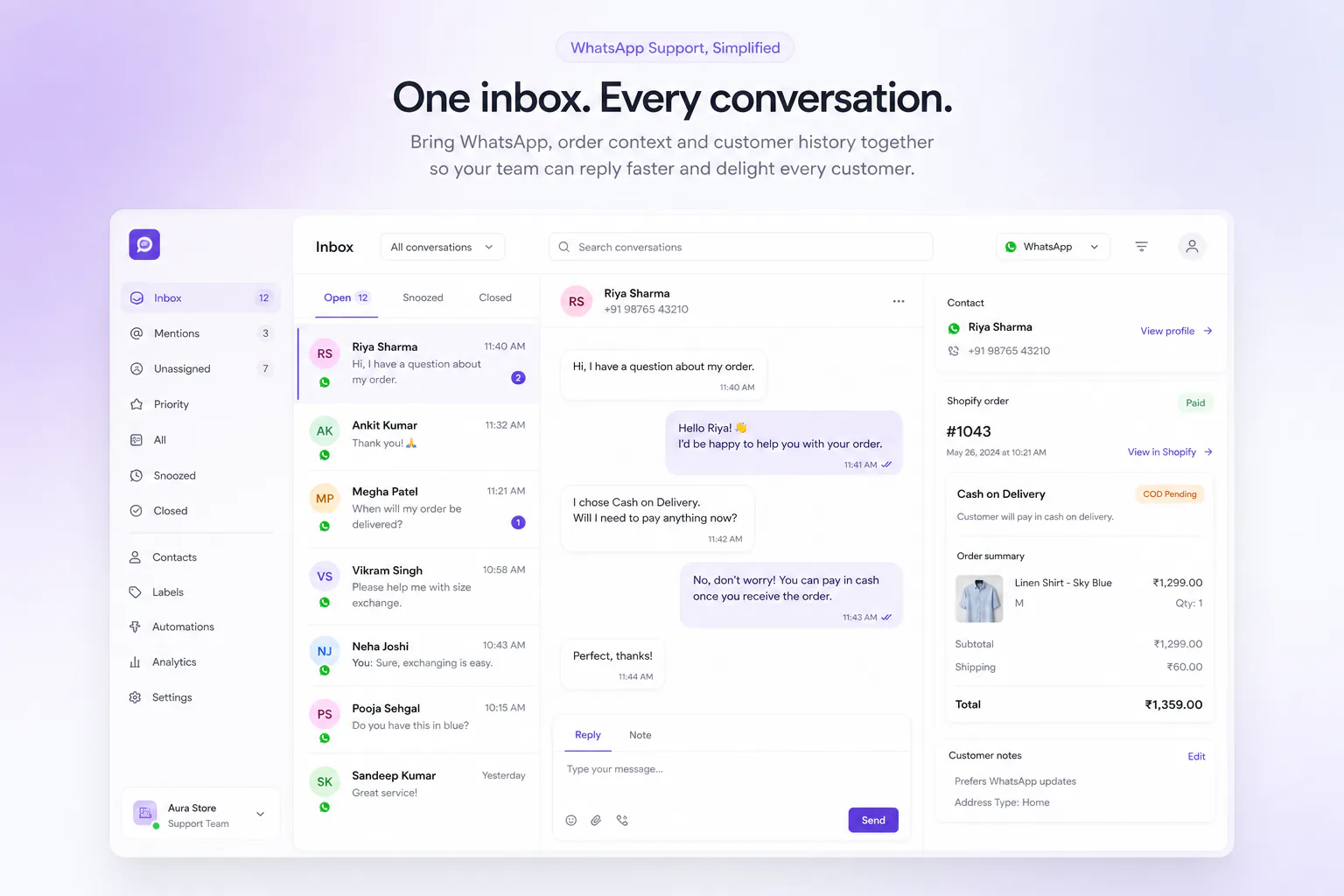
- Handle replies: Customer messages open a service window for free-form replies; agents need Shopify order context beside the thread.
- Suppress and measure: Stop sequences after purchase, cancel, or opt-out. Attribute recovered revenue and ticket deflection, not only messages sent.
Operator tip: Gate live journeys on APPROVED templates only. Draft/pending templates should never reach production customers.
What Can Shopify Stores Automate With WhatsApp?
Think in lifecycle stages. Each item below is a workflow summary, not a full playbook. Link out when a topic already has a deeper page.
1. Abandoned Cart Recovery
Trigger on abandoned cart or abandoned checkout; send opted-in marketing templates with live line items and a resume link; suppress on purchase; answer replies. Deep timing and copy: Shopify abandoned cart recovery.
2. COD Confirmation
When payment method is cash on delivery, confirm before pick-pack: YES / reschedule / cancel. Cuts false orders and reverse logistics. Playbook: COD confirmation on WhatsApp.
3. Order Confirmation
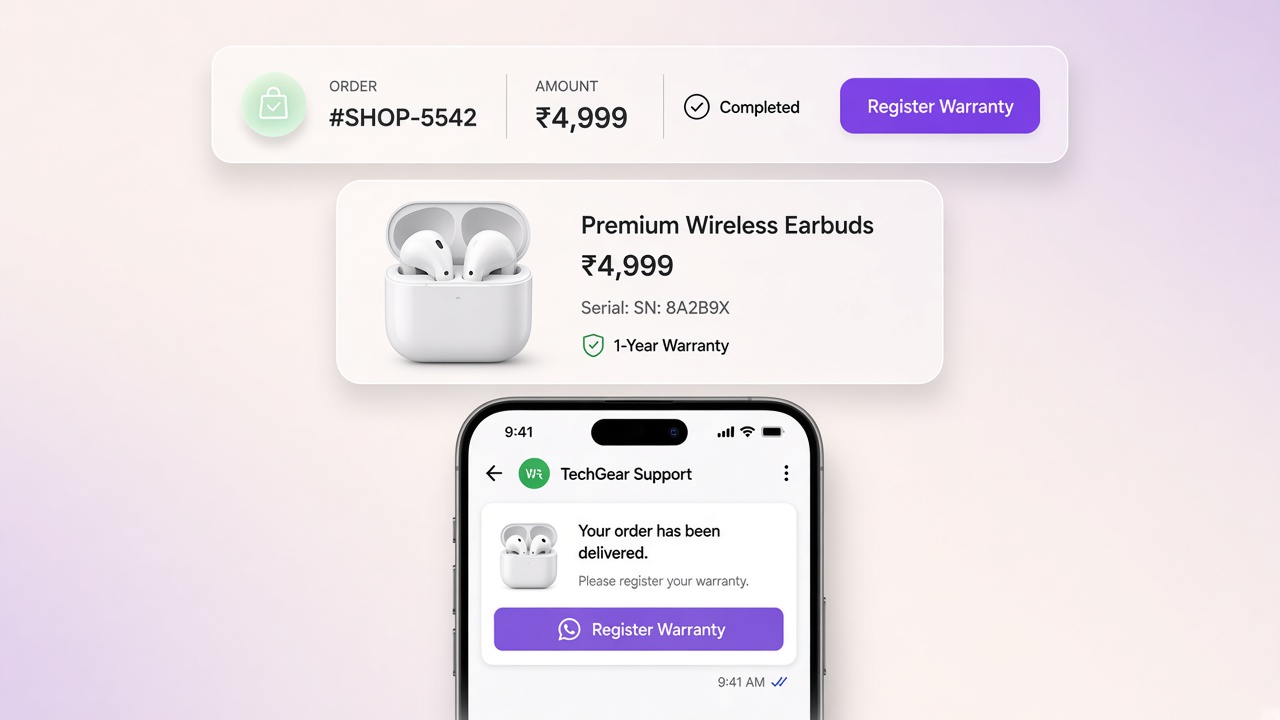
Order created / paid → utility message with order number, items, and ₹ total. Sets expectations and opens a clean reply path for address fixes.
4. Shipping & Delivery Updates
Fulfilled, out for delivery, delivered: tracking link in a utility template. Cuts “where is my order?” tickets when the inbox can see Shopify status.
5. Customer Support
Inbound WhatsApp into a shared inbox with order/cart context, assignment, and human takeover that pauses bots. Detail: shared inbox with Shopify orders.
6. Product Questions & Recommendations
Flow menus or catalog-grounded AI for size, shade, shipping windows, and COD policy, then hand off when confidence is low. Related: AI chatbot for Shopify.
7. Reviews
After delivery (and quiet support), request a review or UGC with a short utility/marketing-compliant path. Suppress unhappy tickets.
8. Cross-Sells & Upsells
Post-purchase sequences for replenishment or complementary SKUs, only to consented numbers, with frequency caps and recent-purchase suppression.
9. Win-Back Campaigns
Segment lapsed buyers; Meta-safe marketing templates; stop when they reorder or opt out. Campaigns come after transactional quality is stable.
10. Instagram-to-WhatsApp Conversations
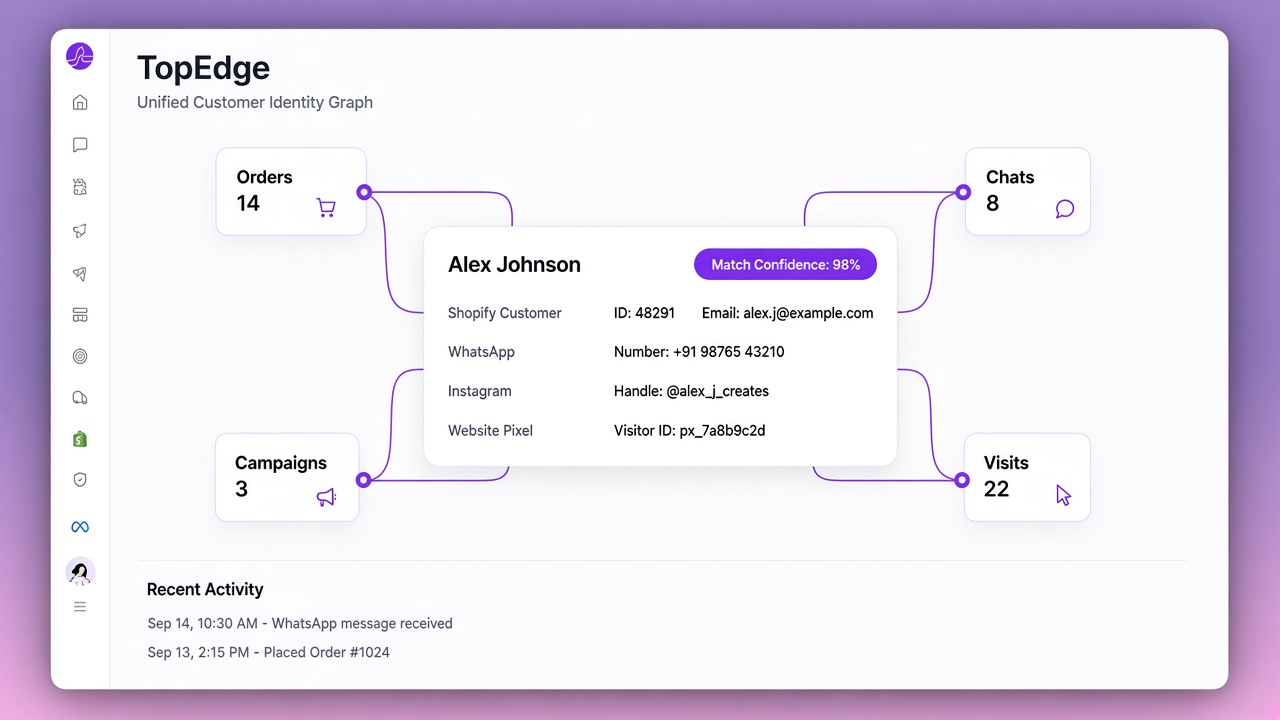
Comment / story / mention interest → continue in WhatsApp or DM inbox with the same customer identity. Useful for drops and social commerce, not a substitute for order utilities.
Sane rollout for most stores: cart recovery → COD confirm (if you sell COD) → order/shipping updates → support automation → campaigns. Why that order: what to automate first. Checklist: Shopify WhatsApp automation checklist.
WhatsApp Business App vs WhatsApp Business Platform
| Option | Good for | Limit for ecommerce automation |
|---|---|---|
| WhatsApp Business App | Manual chats for very small stores | Not multi-agent Shopify event automation with reliable templates at scale |
| WhatsApp Business Platform (Cloud API) | Official templates, webhooks, scalable sends | Needs an integration layer for Shopify events, inbox, and journeys |
| Shopify Messaging WhatsApp | Marketing campaigns to WhatsApp subscribers | Automations documented for email/SMS; behavioral WhatsApp still needs an app/platform |
| Shopify WhatsApp app / growth OS | Events + templates + inbox + journeys together | Quality still depends on opt-in, template hygiene, and ops, not install alone |
Connection on TopEdge: Shopify WhatsApp integration. Template hygiene: Meta WhatsApp Cloud API templates. India rates: WhatsApp Business API pricing in India.
Shopify WhatsApp Automation vs Manual WhatsApp Messaging
| Manual WhatsApp | Automated Shopify WhatsApp | |
|---|---|---|
| Trigger | Someone remembers to type | Store event or inbound intent |
| Scale | Breaks at festival volume | Templates + queues + suppression |
| Context | Copy-paste from Shopify admin | Order/cart beside the thread |
| Risk | Missed confirmations, slow WISMO | Poor opt-in / wrong template category if ops are sloppy |
| When it wins | VIP exceptions, custom B2B | Repeatable journeys and 80% of support intents |
Automation does not remove humans. It removes the copy-paste for the same ten questions every day.
How to Set Up WhatsApp Automation for Shopify
- Pick the integration: Shopify OAuth + Meta Cloud API in one workspace (or a clear BSP path).
- Register the number: Display name, Business Manager, quality monitoring.
- Submit day-one templates: At least one cart/checkout marketing template and one order/COD utility template.
- Capture opt-in: Checkout checkbox, storefront widgets, or post-purchase consent, with timestamps.
- Publish one journey: Usually abandoned checkout or COD confirm. Expand only after delivery and replies look clean.
- Staff the inbox: Two agents who know takeover rules before campaigns go live.
- Measure outcomes: Recovered revenue, confirmation rate, WISMO volume, not opens alone.
Product surface for TopEdge: Journeys, Opt-in tools, Live Chat, Meta Manager.
Important WhatsApp Opt-In & Messaging Rules
- Opt-in before outbound: Name the business; respect local consent law; log when/how consent was given.
- Template categories matter: Marketing vs utility is not a pricing trick; miscategorizing sales as utility risks account quality.
- 24-hour service window: Customer-initiated messages unlock free-form replies; outside that window, use approved templates.
- Honor STOP: Opt-out must stick across journeys and campaigns.
- Quality rating: Blocks and reports hurt throughput; reply coverage is part of channel health.
Channel strategy for India D2C: WhatsApp vs email automation.
WhatsApp Automation for Shopify in India
The stack above is global. India D2C adds pressure on a few workflows:
- COD confirmation and COD → prepaid: RTO cost makes confirm-before-ship non-optional for many catalogs.
- Order and delivery updates: High WISMO volume when courier status is unclear.
- WhatsApp-first buyers: Email open rates often lag; messaging is where customers already live.
- INR forecasting: Prefer published INR platform fees plus Meta pass-through over opaque USD + markup stacks when finance needs predictability.
- Hinglish support realities: Shared inbox and intent routing matter as much as English FAQ bots.
This section does not make the whole guide India-only. It flags where Indian Shopify WhatsApp automation usually differs from prepaid-only Western playbooks. India tool shortlist: best WhatsApp automation tools for Shopify India.
How Much Does Shopify WhatsApp Automation Cost?
Model three lines:
- Platform / app subscription: Flat INR, USD tiers, conversation meters, or credit packs depending on vendor.
- Meta conversation fees: By category and country; rates change, so re-check Meta’s rate card.
- Vendor markup on Meta: Some apps pass Meta through at 0%; others publish rate tables above Meta. Example deep-dive: Dondy Meta markup.
TopEdge AI publishes Launch ₹1,999 · Growth ₹3,999 · Scale ₹6,499 (monthly labels; +GST) with Meta pass-through at 0% markup on the catalog. Verify live on pricing.
Common Shopify WhatsApp Automation Mistakes
- Confusing WhatsApp Business App with Cloud API automation
- Assuming Shopify Messaging automations cover WhatsApp like email/SMS
- Treating phone capture as marketing opt-in
- Launching campaigns before cart/COD/shipping paths work
- No reply path: automation that cannot escalate creates angry buyers
- Duplicate sends across native email + WhatsApp + ESP
- Miscategorizing marketing as utility
- Letting AI invent prices or stock
- Measuring sends instead of outcomes
- Automating edge cases (custom quotes, angry disputes) too early
What to Look for in a Shopify WhatsApp Automation Tool
- Native Shopify event coverage: carts/checkouts, orders, fulfillments, payment method
- Meta template governance: status visibility; block until APPROVED
- Opt-in / opt-out handling: consent timestamps; honor STOP
- Journey builder with branching: waits, conditions, purchase suppression
- Shared inbox with order context
- Human handover: pause automation on takeover
- Transparent Meta economics: category rates and any platform markup
- Measurement finance trusts: recovered revenue, confirmation rates, ticket volume
Buying guides: best WhatsApp apps for Shopify, how to choose from the App Store.
How TopEdge AI Fits Into Shopify WhatsApp Automation
TopEdge AI is ecommerce automation software for Shopify brands that run customer engagement on WhatsApp, not a marketing agency.
- Shopify WhatsApp integration: OAuth store sync + Meta Cloud API
- Journeys: cart, COD, shipping sequences with Meta approval gating
- Flow Builder: conversational trees with Shopify tools and Live Chat handoff
- Live Chat: shared WhatsApp/Instagram inbox with order context
- Opt-in tools: storefront capture into consented audiences
- Campaigns: Meta-safe broadcasts after transactional hygiene
- AI Brain: optional catalog-grounded answers with intent routing
- Meta Manager: template create/sync/status
Plans: Pricing. Pairwise boards: Compare.
Common questions
What is WhatsApp automation for Shopify?
WhatsApp automation for Shopify connects store events (carts, checkouts, orders, fulfillments) to Meta-approved WhatsApp messages and a team inbox with Shopify context. Opted-in customers get the right message; replies land where agents can finish the job.
How does WhatsApp automation work with Shopify?
Shopify emits events. An integration maps them to waits, branches, and template sends on Meta’s WhatsApp Business Platform, then logs outcomes. Outside the 24-hour service window you need approved templates; inside it, free-form replies are allowed.
How do I automate WhatsApp messages for Shopify?
Connect Shopify and a WhatsApp Business Account, capture opt-in, submit templates, map high-ROI events (abandoned checkout, COD, shipping) to journeys, and open a shared inbox for replies before you scale campaigns.
How to connect WhatsApp to Shopify?
Use a Shopify app or platform with Shopify OAuth and Meta Cloud API (or Business Platform) access. Link the store and WhatsApp number, approve templates, then map events to sends and inbox routing.
What can you automate with WhatsApp on Shopify?
Before purchase: lead capture, product questions, Instagram → WhatsApp. During purchase: abandoned cart/checkout, COD confirmation, payment-failure follow-up. After purchase: order/shipping updates, reviews, cross-sell, win-back. Support: FAQs, WISMO, returns routing, human handover.
Can Shopify send automatic WhatsApp messages?
Shopify Messaging can run WhatsApp marketing campaigns to subscribed customers. Built-in marketing automations are documented for email and SMS, not full event-driven WhatsApp. Behavioral flows (cart, COD, ship) usually need a WhatsApp Business Platform integration or Shopify WhatsApp app.
How can WhatsApp automation increase Shopify sales?
It recovers incomplete checkouts, confirms COD before shipping, answers product questions while intent is warm, and keeps post-purchase trust high so buyers return. Results depend on opt-in, template quality, and reply handling, not install alone.
How can Shopify stores automate COD confirmation?
Trigger a utility template when a COD order is created, offer confirm / reschedule / cancel, suppress after response, and hold fulfillment until confirmed. Deep playbook: COD confirmation on WhatsApp.
How can I send Shopify order updates on WhatsApp?
Map paid, fulfilled, and delivery-related events to utility templates with order number, items, and tracking. Route replies into an inbox that already shows the Shopify order.
How can I recover Shopify abandoned carts through WhatsApp?
Use opted-in numbers, approved marketing templates, live line items, a resume-checkout link, purchase suppression, and reply handling. Timing and copy live in the Shopify abandoned cart recovery guide.
WhatsApp Business API vs WhatsApp Business App for Shopify?
Event-driven ecommerce automation needs the WhatsApp Business Platform (Cloud API). The WhatsApp Business App is fine for tiny manual ops; it is not a multi-agent Shopify automation OS with reliable event triggers and templates at scale.
How much does Shopify WhatsApp automation cost?
Budget platform/app subscription, Meta conversation fees by category, and any vendor markup on Meta rates. India Meta rates change. Re-check Meta’s card. TopEdge publishes flat INR plans and 0% Meta markup on its catalog.
Is WhatsApp automation worth it for a Shopify store?
Yes when customers already live in WhatsApp, you can collect opt-in, and you will staff replies. It is weaker if opt-in is thin, templates stay pending, or no one answers when buyers respond.
Shopify Messaging capabilities referenced from Shopify Help Center (campaigns for email/SMS/WhatsApp; automations documented for email and SMS). WhatsApp opt-in, customer service window, and template categories from Meta WhatsApp Business Platform documentation. TopEdge plan labels from the public pricing catalog (Launch ₹1,999 · Growth ₹3,999 · Scale ₹6,499 monthly; +GST). Re-check Meta, Shopify, and vendor pages before production launches. Surfaces change.
WhatsApp automation for Shopify is an operating system: store truth, approved messages, journeys, and humans for exceptions. Start with connection and one high-ROI journey, then widen the lifecycle.
Next steps: Shopify WhatsApp integration, Journeys, pricing, or start free. Cluster: cart recovery, best WhatsApp apps for Shopify, shared inbox.
Two prerequisites most teams skip: opt-in and template approval.