How to Automate Your Ecommerce Store in India
A step-by-step guide to ecommerce automation for Indian store owners: order processing, inventory, support, WhatsApp and email workflows, and the tool stack.
Direct answer
Ecommerce automation means setting up systems that handle repetitive work without you: confirming orders, updating inventory, answering routine questions, recovering carts and following up after delivery. For Indian store owners the highest-return starting points are WhatsApp order confirmations (which also cut RTO on COD orders) and abandoned cart recovery. Both are quick to configure, and most brands see a positive return within 45 to 60 days.
Most founders who start an online store spend the first few months doing everything manually. They pack orders, reply to every message, update spreadsheets, track inventory by hand and send follow-ups one at a time. It works at first. Then orders speed up and the whole thing breaks.
Shoppers in India now expect fast responses, instant confirmations and proactive updates. If a competitor sends a WhatsApp message within 30 seconds of an order and you are still copying order details into a spreadsheet, you are already behind.
If you want the definition and scope first, start with what ecommerce automation actually covers. This guide is the operational version: what to automate, in what order, and with what.
Why automation matters more in India
Beyond time saved, automation directly affects returns. One of the biggest hidden costs for Indian D2C brands is Return to Origin. Orders that come back because nobody confirmed the delivery window cost roughly ₹80 to ₹300 per failed delivery depending on your courier partner. A simple automated WhatsApp confirmation right after an order is placed removes a meaningful share of those. That is not a large-brand feature — the maths works for a store doing 50 orders a month.
There is a second benefit that is harder to put a number on. Founders who automate the repetitive parts consistently report making better decisions, because they are no longer drowning in daily operations.
What to automate, in order
| Priority | Workflow | Why it is first |
|---|---|---|
| 1 | Order confirmation and shipping updates on WhatsApp | Removes most "where is my order" queries and cuts RTO on COD. |
| 2 | Abandoned cart recovery | Recovers revenue you already paid to acquire. |
| 3 | Routine customer support | Handles the 60 to 75 percent of queries that are repetitive. |
| 4 | Inventory reorder alerts | Stops you paying for ads that land on an out-of-stock page. |
| 5 | Cross-system data sync | Removes manual copying between store, accounting and logistics. |
1. Automating order processing and fulfilment
The moment an order arrives through Shopify or WooCommerce, a trigger fires. That one trigger can send the customer a confirmation on WhatsApp or email, update your internal records, notify the packing team, and assign a courier based on delivery pincode.
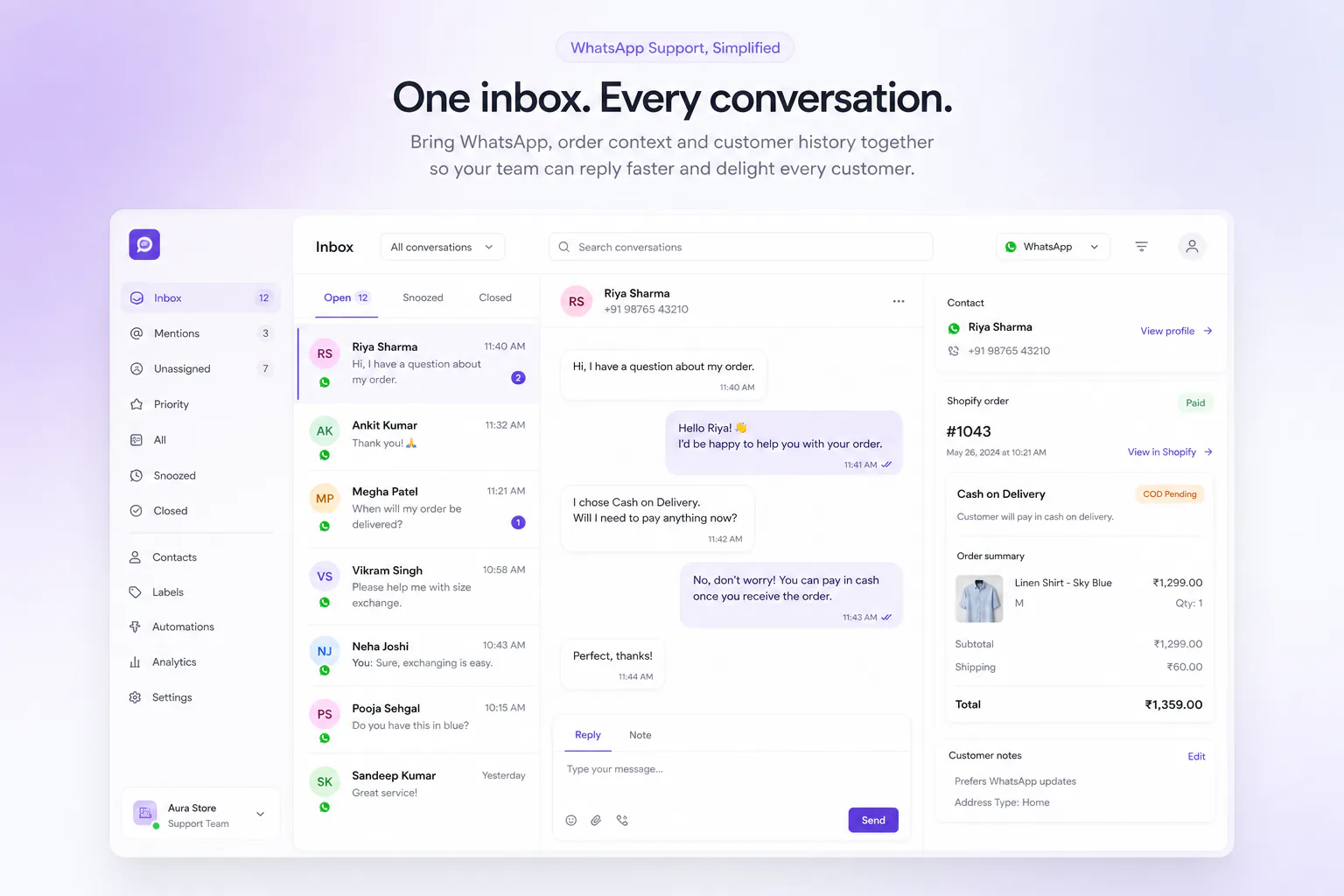
For stores doing Cash on Delivery, this matters even more. A well-timed message asking the customer to confirm before dispatch dramatically reduces undelivered packages. Doing this manually catches only a fraction of would-be returns; an automated system catches all of them. The setup walkthrough is in the COD confirmation guide.
Shopify's native order management is a solid foundation but does not do everything. Tools like Shiprocket, Pickrr and Easyship handle multi-courier routing automatically — you set the rules once. For fulfilment, the biggest unlock is automating the handoff between your store and your 3PL or warehouse. If you still email packing lists every morning, that alone can be replaced with a webhook.
The goal is not removing the human touch. It is making sure the human shows up when something actually goes wrong, instead of being spent copying order numbers between systems.
2. Automating inventory to prevent stockouts
Running out of a bestseller is one of the most expensive things that can happen to a growing brand. You already paid for the traffic. The customer lands, wants to buy, and sees out of stock.
Inventory automation solves this with reorder triggers. When a product hits a threshold, the system drafts a purchase order or alerts your supplier. Advanced setups place the order directly.
If you sell across Shopify, Amazon and Instagram at once, keeping counts accurate becomes a real problem quickly. Tools like Unicommerce, Linnworks and Cin7 sync multi-channel inventory so a sale anywhere updates everywhere.
Two refinements most sellers miss. Set low-stock alerts at warehouse or city level, not nationally — a winter brand sees very different demand in Bengaluru and Delhi. And set the reorder threshold against supplier lead time: if your supplier takes 14 days, trigger at 20 days of stock remaining, not five. Most store owners set this once and never update it as sales velocity changes.
3. Automating customer support with chatbots and AI
Support is where most growing brands hit a wall. At 20 orders a month you handle every query yourself. At 200 it is a part-time job.
A well-configured bot handles order status, returns, product questions, address changes and basic complaints without human involvement. The key phrase is well-configured — a bot that replies "I did not understand your query" is worse than no bot.
What works for Indian D2C is a hybrid: AI handles what it can, typically 60 to 75 percent of incoming queries, and hands anything else to a human with the full conversation context so the agent does not start from scratch. See how AI WhatsApp chatbots work for Indian stores for where to draw that line.
WhatsApp is where most Indian customers expect to reach brands. A bot that only works on your website chat widget is not serving your actual customer base. The automation has to live where customers already are.
4. Automated email and WhatsApp marketing workflows
The workflows that reliably drive revenue are abandoned cart sequences, post-purchase follow-ups, win-back campaigns for lapsed customers, and date-based triggers. None are new ideas. What is new is how precisely they can be personalised from what the customer actually bought.
An abandoned cart message that names the specific product, shows its image and arrives within an hour will outperform a generic "you forgot something" every time.
For Indian brands there is an important nuance: email open rates here are lower than in Western markets, because customers live on WhatsApp. That does not make email useless — it makes email one part of a multi-channel sequence rather than a standalone channel. The comparison is covered in WhatsApp versus email automation for D2C India.
The highest-performing setup combines both. Cart abandoned, WhatsApp nudge first. No response in a few hours, email. Still nothing, a final WhatsApp message on day three. Every step automated. Timings and copy are in the cart recovery playbook.
5. Custom workflows and API sync
This one is for founders who are technical or work with a developer. Say your orders are in Shopify, accounting is Zoho Books, logistics is Delhivery and customer communication is WhatsApp. None of those talk to each other natively, so somebody copies data between four systems daily.
With Zapier, Make or n8n you can connect all four: an order creates an invoice, books a shipment and triggers a WhatsApp confirmation, in under a minute with no manual input. For more complex needs, Shopify's API and webhook coverage is extensive and supports triggers for almost every store event. Initial setup takes time; once built, these run reliably at scale.
Ecommerce automation tools for Indian brands
| Job | Common options |
|---|---|
| WhatsApp automation | TopEdge, WATI, AiSensy, Interakt, Gallabox. All operate as Meta Business Solution Providers. Plans vary widely by message volume — check current vendor pricing before you budget. |
| Email marketing | Klaviyo is the standard for Shopify brands doing serious email revenue. Mailchimp is fine early. Brevo is a cheaper option with solid automation. |
| Customer support | Gorgias has the deepest Shopify integration and shows order context inside the ticket. Freshdesk and Zendesk are the broader alternatives. |
| Inventory | Unicommerce is the most widely used among Indian brands selling across Shopify, Meesho, Amazon and Flipkart. |
| Workflow glue | Zapier is easiest with no technical knowledge. Make is more powerful and cheaper at volume. n8n is open-source and self-hostable. |
No single tool does everything. The right stack depends on order volume, channels, team size and budget. The mistake most founders make is buying too many tools too early. Start with the workflow causing the most pain today, automate that one thing, then move on. For a like-for-like look at the WhatsApp category, see the best WhatsApp automation tools for Shopify India.
How to build the stack in layers
- Store platform. Shopify, WooCommerce, or a marketplace. Orders come in and listings live here.
- Operations. Inventory, order routing, fulfilment — usually a shipping aggregator, plus a multi-channel inventory tool if you sell in more than one place.
- Customer communication. WhatsApp, email and support. This layer most directly affects customer experience and your return rate.
- Analytics. What is selling, which campaigns work, your return rate, where buyers drop off.
Automation is the connective tissue between those layers, so data moves without manual export and import.
One practical note for Indian founders on a budget: do not pay for six tools in month one. Start with your store platform and one communication tool. Add inventory management when SKU or channel count demands it. Add advanced analytics when you have enough data to decide from.
Automation versus hiring a virtual assistant
| Virtual assistant | Automation | |
|---|---|---|
| Monthly cost | ₹8,000 – ₹20,000 depending on experience | Typically a few thousand rupees for a mid-size brand |
| Hours covered | Eight a day, weekends off | Continuous |
| Error rate | Human error increases when tired | No copy-paste errors |
| Judgment | Strong — handles a damaged-product complaint with empathy | Weak — should escalate anything needing judgment |
| Retraining | From scratch if they leave | None once configured |
The framing is not automation versus humans. It is automation handling everything that does not need judgment, so your human team can focus on the situations that do.
Automating dropshipping and print-on-demand
The core logic is the same, with one critical difference: supplier sync. When an order arrives it must be forwarded to your supplier with the correct variant and shipping address. Doing this by hand is how a customer who ordered a blue shirt in large receives a red one in medium. DSers and AutoDS handle that forwarding automatically; Printful and Printify automate print-on-demand fulfilment end to end, pushing tracking back to Shopify.
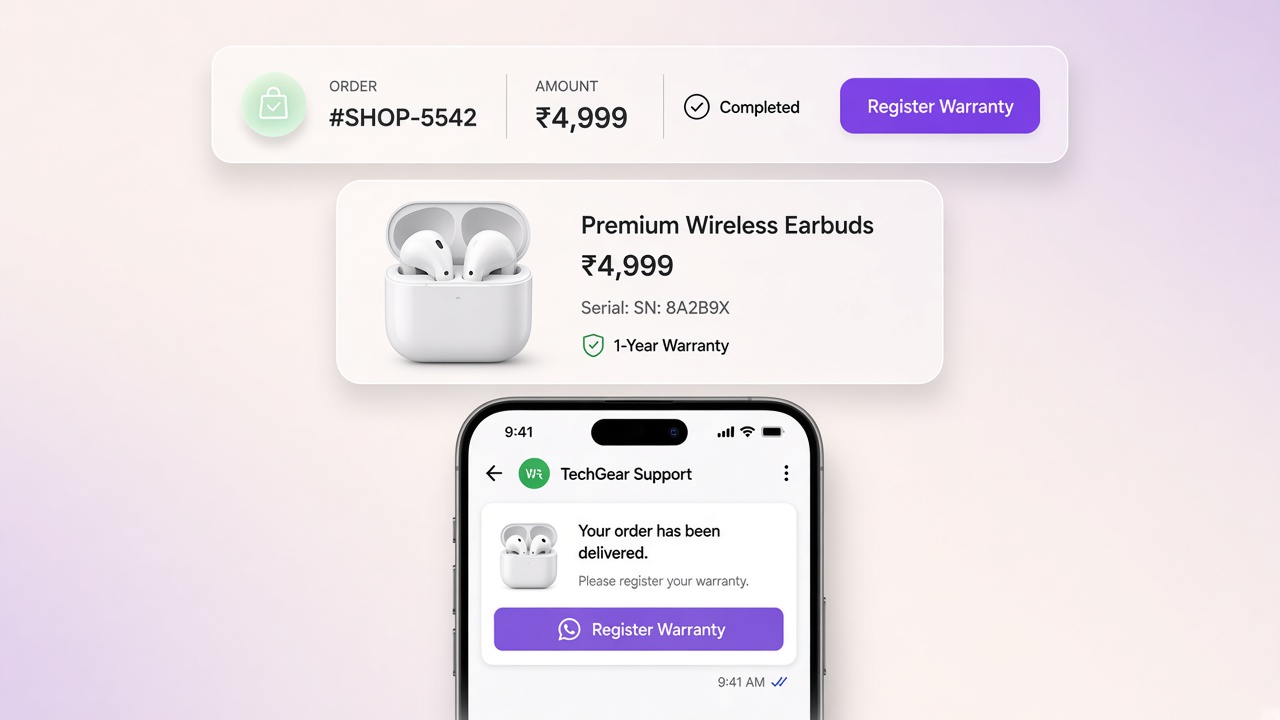
What most dropshipping and POD owners overlook is customer communication. Because you do not control fulfilment, delivery times and quality occasionally go wrong. Proactive automated updates during the delivery window — rather than waiting for a complaint — meaningfully reduce refund requests and negative reviews.
Common ecommerce automation mistakes to avoid
- Automating before the process is clear. If you have no defined returns process, automating returns just makes the chaos faster. Get the manual process working first.
- Over-automating communication. If a complaint gets three automated replies before a human looks, the customer feels like they are talking to a wall. Automation should make customers feel more looked after, not less.
- Aggressive trigger timing. A cart message one minute after someone leaves is too soon — they may still be comparing tabs. Later usually converts better.
- Not testing as a customer. Place a real test order on your own store and see what arrives and when. You will almost always find something to fix.
- Ignoring maintenance. Platform updates, API changes and new Meta policies break working automations. Check them monthly. A cart sequence that has been silently failing for three months is money that walked out quietly.
Where TopEdge fits
TopEdge is a WhatsApp automation and ecommerce CRM platform built for Indian D2C brands. It connects directly to Shopify and handles the customer communication layer that generic tools cover poorly for this market.
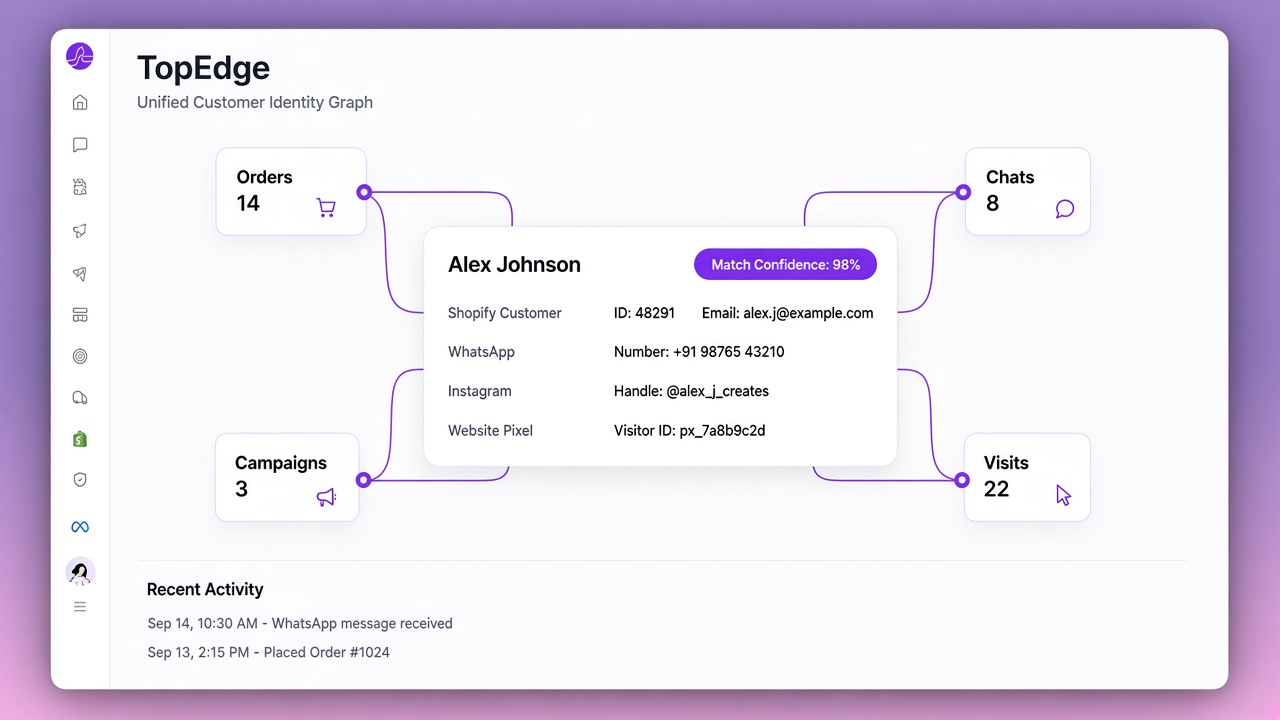
It automates cart recovery and order lifecycle journeys, sends order confirmations and shipping updates, runs COD to prepaid conversion nudges to reduce RTO, and provides a visual flow builder for designing multi-step sequences without code. Audience CRM adds lead scoring and segmentation, and the store engine dashboard puts customer relationships and store performance in one place.
What makes it specific to India is that it is built around WhatsApp-first communication and COD order management rather than retrofitted onto them. Setup is documented end to end in the quickstart.
Start with one workflow
The gap between brands that scale and brands that stay stuck is usually not the product or even the marketing. It is operations. The brands still growing three years later are the ones that figured out how to run efficiently.
You do not need to automate everything at once. Pick the task wasting the most of your time right now. For most Indian D2C brands that is order confirmations and shipping updates on WhatsApp, or abandoned cart recovery. Both are quick, and both show results fast.
Next: follow the cart recovery setup guide, review the automation checklist, compare plans on pricing, or start free on your Shopify store.
Common questions
What is ecommerce automation?
Ecommerce automation means setting up systems that handle repetitive tasks without you. When an order is placed, automation confirms it to the customer, updates your order records, notifies the warehouse, assigns a courier and follows up after delivery — all without anyone touching a button.
What should an Indian store owner automate first?
Order confirmations and shipping updates on WhatsApp, or abandoned cart recovery. Both are quick to set up and show measurable results fast. Order confirmation also doubles as RTO protection, because asking a COD customer to confirm before dispatch removes a large share of failed deliveries.
Is ecommerce automation cheaper than hiring a virtual assistant?
For repetitive, rules-based work, yes, over any period longer than about three months. A VA in India costs roughly ₹8,000 to ₹20,000 a month, works eight hours a day and needs retraining if they leave. Automation runs continuously and does not make copy-paste errors. Humans still win on judgment, so the right split is automation for everything that does not need judgment.
How long does ecommerce automation take to pay for itself?
For most Indian D2C brands the return turns positive within the first 45 to 60 days. The main upfront cost is the time spent configuring workflows, not the subscription itself.
Can automation reduce RTO on COD orders?
Yes, and it is one of the highest-return automations available in India. A failed delivery costs roughly ₹80 to ₹300 depending on your courier. An automated WhatsApp confirmation sent right after a COD order is placed, asking for a one-tap reply before dispatch, typically removes a meaningful share of those failures. The maths works even at 50 orders a month.
What are the most common ecommerce automation mistakes?
Automating a process you have not defined yet, over-automating customer communication so complaints get three bot replies before a human looks, choosing aggressive trigger timings, never testing the flow as a real customer, and never checking automations again after setup. Platform and API changes break working flows silently.