WhatsApp Abandoned Cart Recovery for Shopify
WhatsApp abandoned cart recovery for Shopify: cart vs checkout, message timing, templates, opt-in rules and what to look for in a recovery tool.
Direct answer
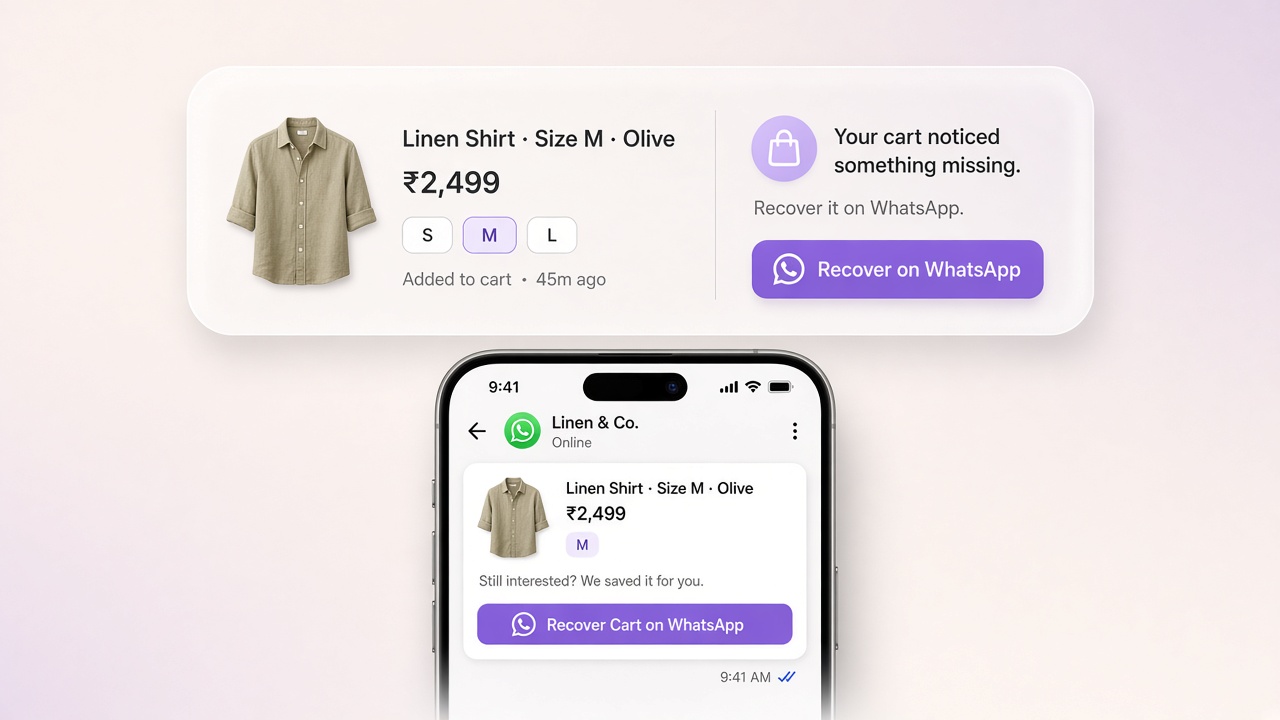
Shopify abandoned cart recovery re-engages shoppers who added products or started checkout but did not pay, using timed reminders with a resume-checkout link. WhatsApp recovery works when customers have opted in: send approved marketing templates after abandonment, suppress completed orders, and handle replies so questions about shipping, size, or payment can convert into completed checkouts.
Most Shopify stores lose the majority of carts before payment. Baymard Institute’s average across 50 published studies puts online cart abandonment around 70.22%. That is not a reason to panic. A large share of abandonments are window-shopping. The recoverable part is the shopper who already chose products, started toward checkout, and still left.
Email still matters. For many stores, especially where customers already live in messaging apps, WhatsApp cart recovery can close more of the gap because the reminder shows up where people actually look.
What is Shopify abandoned cart recovery?
Shopify abandoned cart recovery is the process of re-engaging shoppers who added products or started checkout but did not complete payment, then giving them a clear way to finish the order.
On Shopify, merchants often use “abandoned cart” as everyday language. In admin and automation settings, the platform is more precise:
| Shopify concept | What it means |
|---|---|
| Abandoned cart | The shopper added products but did not start checkout. |
| Abandoned checkout | The shopper started checkout (and typically shared contact details) but did not complete payment. |
| Browse abandonment | The shopper viewed products and left without adding to cart. |
Shopify Messaging includes separate automations for recovering abandoned carts and abandoned checkouts (plus browse). In Shopify’s abandoned-checkout documentation, a checkout is treated as abandoned when it stays incomplete for more than ten minutes after the customer provides email information. Recovery messages usually include a link that returns the shopper to their incomplete purchase.
If you only automate “cart” and ignore “checkout”, or the reverse, you will leave money on the table and confuse your reporting.
Why abandoned cart recovery matters for Shopify stores
Recovery matters because purchase intent is already high. The customer found a product, chose a size or variant, and often typed an address or phone number. You are not cold-prospecting. You are finishing a sale that almost happened.
- Traffic is expensive. Paid acquisition often brings people to product pages. Losing them at cart or checkout wastes that spend.
- Friction shows up late. Shipping cost, payment failure, COD hesitation, stock uncertainty, or “I’ll finish later” all appear after add-to-cart.
- Native email alone is rarely enough. Shopify can send recovery emails (and SMS, depending on setup). Many shoppers still miss email, especially on mobile.
- Support questions hide inside abandonments. “Does this ship tomorrow?” and “Can I pay COD?” often look like silence until someone asks in chat.
Baymard’s research also reminds operators that abandonment is not only “bad marketing.” Extra costs, slow delivery expectations, trust concerns, and long checkouts all drive drop-off. Recovery messaging works best when it reduces friction, not when it only fires more discounts.
For a channel-level comparison of when WhatsApp beats email (and when it does not), see WhatsApp vs email automation for D2C India.
How Shopify cart and checkout recovery work
- A shopper builds intent: adds items, or enters checkout and shares contact details.
- Shopify records the incomplete session: as an abandoned cart event, abandoned checkout, or both depending on how far they got.
- Your recovery system waits: long enough to avoid interrupting active buyers, short enough that interest is still warm.
- A message goes out: email, SMS, WhatsApp, or a combination, ideally with line items and a resume-checkout link.
- Suppression rules stop waste: if they buy, items go out of stock, or a newer checkout appears, later sends should stop.
- You measure recovery: recovered revenue, recovered orders, and conversion by step, not vanity open rates alone.
What Shopify’s native recovery covers
Shopify’s Messaging automations can email (and in some cases SMS) shoppers for abandoned cart and abandoned checkout. Abandoned checkout recovery emails can include a link back to the incomplete checkout. Shopify also documents cases where recovery email is not sent, for example if the customer completes a purchase before the send, products are unavailable, shipping is not supported to the address, payment processing errors occurred, or certain high-risk blocks apply.
Native recovery is a solid baseline. It is often limited for stores that need multi-step sequences with branching (prepaid vs COD, high AOV vs low AOV), WhatsApp as a primary channel, reply handling inside the same conversation, and clearer attribution of recovered revenue by journey.
How WhatsApp cart recovery works for Shopify
WhatsApp abandoned cart recovery works when four conditions line up:
- You can detect abandonment from Shopify (cart and/or checkout events).
- You have a reachable phone number and permission to message the customer on WhatsApp.
- You send an approved WhatsApp template outside an open customer service window.
- The customer can reply, and a human (or AI with clear handoff rules) can continue the conversation.
Opt-in is the real gate
Entering a phone number at checkout is not the same as agreeing to WhatsApp marketing. Meta’s WhatsApp Business documentation requires businesses to obtain opt-in before messaging people, with the business name stated clearly and compliance with local law. For recovery programs, the practical standard is an explicit checkout checkbox (not pre-ticked) that says the customer agrees to receive messages from your store on WhatsApp, ideally covering order updates and relevant purchase reminders.
You can also grow a consented audience on-site. TopEdge’s WhatsApp opt-in tools (popup, spin wheel, widget, and similar capture formats) are built to collect marketing consent with timestamps before journeys or campaigns message that list.
Without clean consent, you risk blocks, quality-rating damage, and wasted template sends.
Why templates matter
On the WhatsApp Business Platform, template messages are how businesses initiate contact when no 24-hour customer service window is open. Meta’s pricing documentation explicitly lists cart abandonment reminders among marketing-template examples. In practice, most proactive recovery sends should be submitted and approved as Marketing templates, not disguised as utility order updates.
If you need a plain-English walkthrough of categories and approval, use the Meta WhatsApp Cloud API templates for Shopify guide.
If the customer replies, a customer service window opens and your team can answer in free-form chat. That reply path is where WhatsApp often beats email: the reminder can become a real conversation about size, shipping, or payment.
A realistic WhatsApp recovery sequence
There is no universal “best” cadence. A practical starting point for many Shopify stores:
| Step | Timing (example) | Job of the message |
|---|---|---|
| 1 | 30–90 minutes after abandonment | Soft reminder + product names + checkout link |
| 2 | 6–24 hours later | Answer likely objections (shipping, returns, payment options) |
| 3 | 24–48 hours later | Final nudge; optional incentive only if your margins support it |
Stop the sequence immediately if the order is placed, the customer opts out, inventory disappears, or they ask to stop messaging.
Operator tip: Gate every step on template APPROVED status. A journey that fires draft templates is how brands get blocked mid-sale week. Manage approvals in Meta Manager.
What should a Shopify abandoned cart recovery message contain?
A strong recovery message does one job: help the shopper finish a purchase they already considered.
Include:
- Product clarity: name, variant, quantity if available
- One primary CTA: resume checkout / complete order
- Trust cues only when relevant: delivery estimate, return window, payment options
- A reply invitation: “Reply if you need help with size or shipping”
- Brand voice that matches the store: short and specific beats generic urgency
Avoid:
- stacking three discounts in one sequence by default
- false scarcity (“only 1 left!”) when inventory is fine
- sending the same copy on email and WhatsApp minutes apart
- long brand stories that bury the checkout link
Hypothetical example: beauty D2C
- Reminder: “Hi Priya, your Vitamin C Serum (30 ml) is still in your cart. Tap here to finish checkout. Reply if you want help choosing between 30 ml and 50 ml.”
- Objection handling: “Quick note: prepaid orders usually ship within 24 hours, and COD is available on this item. Need the return policy or shade/texture details?”
- Final + optional offer: “Last reminder on your cart. If a small prepaid discount helps, reply PREPAID and we’ll share the checkout link.”
That third step is optional. Many stores recover more margin by fixing clarity first and discounting only high-intent, high-AOV carts.
Hypothetical example: fashion with size hesitation
The second message should lead with fit help, exchange policy, and size chart, not another “complete your purchase” shout. WhatsApp is especially useful here because the customer can reply with a photo or measurement question and get an answer before paying.
Email vs SMS vs WhatsApp for cart recovery
| Channel | Strengths | Limitations | Best use in recovery |
|---|---|---|---|
| Cheap to scale, rich product blocks, familiar | Easy to miss; slower response loops | Always-on baseline for subscribers | |
| SMS | High visibility, short CTA | Cost per send; weak conversation depth | Urgent reminders where WhatsApp opt-in is low |
| High attention; two-way chat; good for COD markets | Needs opt-in + approved templates; marketing limits apply | Primary recovery channel when customers already prefer WhatsApp |
WhatsApp is not automatically “better than email.” It is often better when customers have opted in and your store can handle replies. A durable stack for many Shopify brands: native or ESP email for abandoned checkout subscribers, WhatsApp for opted-in phone contacts, and suppression across channels so one purchase kills all pending recovery sends.
Practical workflows for automated cart recovery
Workflow A: Checkout abandoners (highest intent)
Trigger: Abandoned checkout created. Audience: Has email and/or WhatsApp opt-in. Path: Wait → Message 1 → Wait → if unpaid and in stock → Message 2 → optional Message 3. Branch: COD vs prepaid copy; high AOV gets human review or priority send. Exit: Order paid, customer opt-out, items unavailable.
Workflow B: Cart abandoners who never started checkout
Use lighter reminder copy and more product reassurance. Contact capture is harder here. If you only have email from account login or earlier signup, use that channel first.
Workflow C: Recovery that becomes support
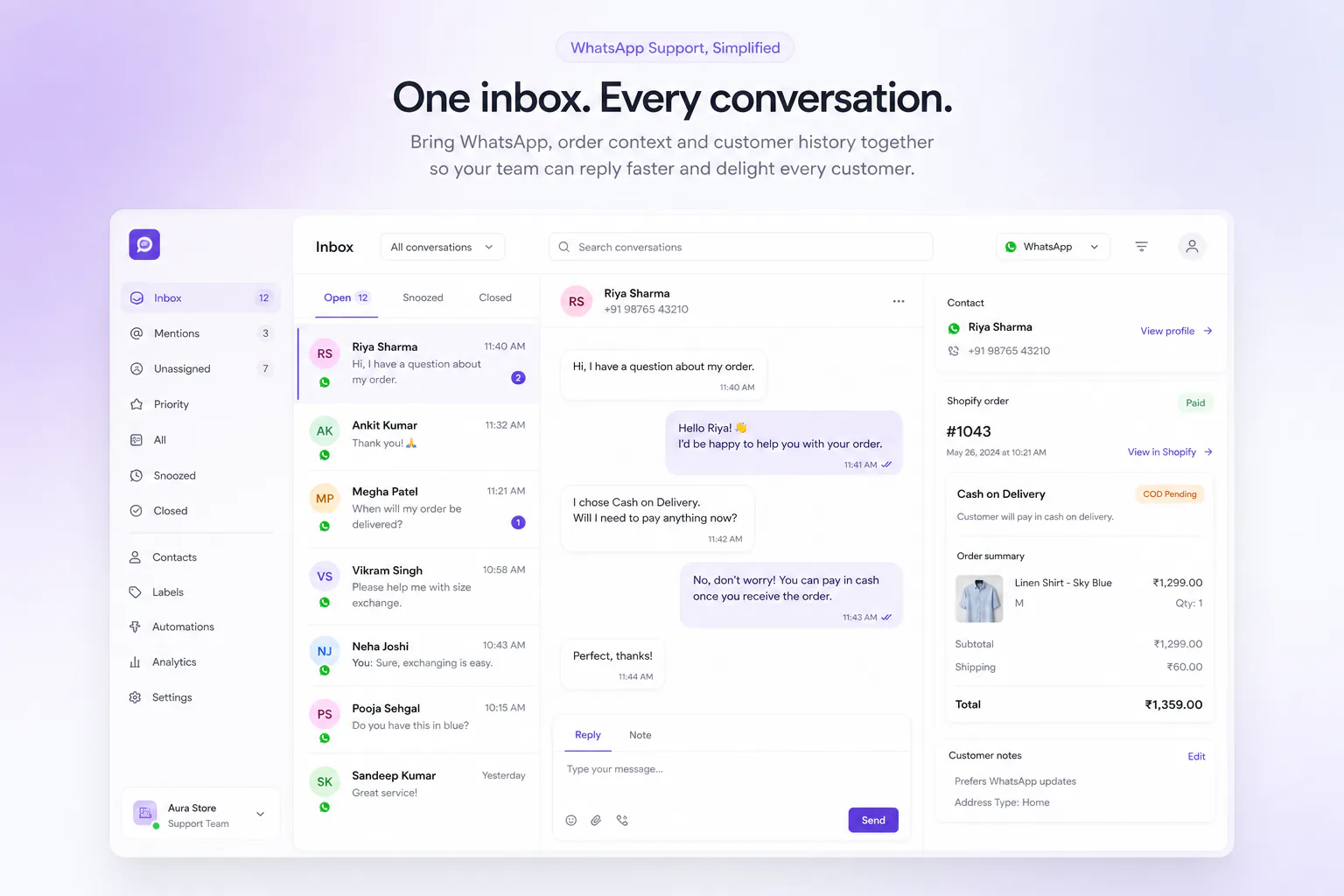
When a customer replies to a recovery template, open the conversation in a shared inbox with order/cart context. AI or automation can answer FAQs; size disputes, damaged-item claims, payment failures, and angry customers go to a human.
On TopEdge, that reply path is designed to land in Live Chat, where agents see Shopify order and cart context beside the thread and can take over from automation when needed.
Workflow D: Stop the bleeding before recovery
If analysis shows abandonments cluster around surprise shipping fees or payment failures, fix checkout first. Recovery messages cannot permanently patch a broken checkout.
If you are sequencing what to automate after cart recovery, use Shopify WhatsApp: what to automate first and the Shopify WhatsApp automation checklist.
What to look for in a Shopify cart recovery app or tool
- Correct Shopify event coverage: cart abandonment, abandoned checkout, and order-paid suppression
- Consent handling: marketing opt-in flags, easy opt-out, auditability
- Template governance: approved WhatsApp templates only; clear category handling
- Branching: wait steps, conditions (payment method, cart value, tags), multi-message journeys
- Conversation continuity: replies land somewhere your team can answer with cart/order context
- Inventory and purchase suppression: no “complete your order” after they already bought
- Measurement: recovered revenue and recovered orders attributed to the journey, not only delivery counts
- Channel fit: if WhatsApp is core to your market, the tool should treat it as a first-class recovery channel rather than a bolted-on broadcast button
If a tool only blasts templates and cannot handle replies, you will recover some carts and create support debt with the rest.
Common mistakes in Shopify abandoned cart recovery
- Treating cart and checkout as the same event: different intent stages need different copy and timing.
- Discounting first: trains customers to abandon for a coupon.
- No opt-in discipline on WhatsApp: phone capture ≠ permission.
- Miscategorizing templates: cart reminders generally belong in marketing templates; fighting that classification creates compliance risk.
- Running native Shopify emails and a third-party flow with no suppression: customers get duplicate reminders and unsubscribe.
- Ignoring replies: a recovery message that asks “Need help?” and then goes silent destroys trust.
- Sending after stockouts or address/shipping failures: Shopify already suppresses some of these for native email; your WhatsApp flow should too.
- Optimizing open rate instead of recovered revenue: opens are not orders.
- Over-messaging low-intent carts: three aggressive messages to browsers who were price-checking wastes reputation and marketing limits.
- Never testing timing: a 10-hour delay may be fine for some categories and too late for flash or low-stock items.
How TopEdge AI fits Shopify abandoned cart recovery
For Shopify merchants who want WhatsApp inside the recovery loop (not only email), TopEdge AI approaches cart recovery as ecommerce automation tied to store events.
Within TopEdge AI, this workflow is handled through Journeys: Shopify triggers such as checkout abandoned can start a multi-step WhatsApp sequence using Meta-approved templates. The Abandoned Cart section of Journeys describes a pre-built recovery sequence with live line items, checkout links, optional high-AOV prioritization, and recovered-revenue attribution rather than send volume alone. Journeys are gated so non-approved templates do not go live. Merchants can also branch by payment method when COD and prepaid need different copy.
Connecting the store and messaging channel is covered on the Shopify WhatsApp integration page (Shopify OAuth + Meta WhatsApp Cloud API in one workspace). When a customer replies to a recovery message, conversations continue in Live Chat. Related building blocks include Flow Builder for conversational trees and human handoff, and Campaigns for broader Meta-safe outreach to consented audiences. Current plan details are on Pricing.
TopEdge is ecommerce automation software for customer engagement on Shopify and WhatsApp. It is not a marketing agency, and cart recovery results always depend on opt-in rates, offer quality, checkout friction, and how well replies are handled.
Common questions
How do I recover abandoned carts on Shopify?
Start with Shopify’s abandoned cart and abandoned checkout reporting and Messaging automations so eligible customers get a reminder with a resume link. Then add a multi-step sequence (email and/or WhatsApp) with suppression when an order is placed. Fix checkout friction in parallel. Recovery cannot outrun surprise fees or payment failures forever.
Can WhatsApp recover Shopify abandoned carts?
Yes, when you have a phone number, valid opt-in, an approved template, and a checkout/cart resume link. WhatsApp is especially useful when customers are likely to reply with product or payment questions.
How does Shopify cart recovery work?
Shopify records incomplete carts/checkouts. Your automation waits, then sends a message containing product context and a path back to checkout. The session is marked recovered when the customer completes the order, whether through your link or on their own.
How can I automate abandoned cart recovery?
Connect Shopify events to a messaging workflow with waits, template sends, purchase suppression, and reply routing. Keep email and WhatsApp coordinated so customers are not hit twice with the same reminder.
Is WhatsApp better than email for abandoned cart recovery?
It depends on opt-in coverage and reply handling. WhatsApp often wins on attention and conversation. Email still wins on rich layouts and reach when WhatsApp consent is missing. Most stores should use both with shared suppression.
What should an abandoned cart recovery message contain?
Product details, one clear checkout CTA, relevant reassurance (shipping/returns/payment), and an invitation to reply. Discounts are optional, not required.
How many cart recovery messages should a Shopify store send?
Most stores do well starting with 2–3 messages over 24–48 hours, then stopping. More than that usually needs strong segmentation and clear performance proof.
Do I need a Shopify cart recovery app if Shopify already emails abandoners?
Not always. If native email recovers enough and your market is email-first, keep it simple. Add a dedicated tool when you need WhatsApp sequences, branching, better attribution, or inbox continuity for replies.
Should COD stores treat recovery differently?
Often yes. Copy should address cash-on-delivery expectations, confirmation behavior, and prepaid alternatives when relevant. That is still cart recovery, just with payment-method branching, not a separate strategy.
When should a human take over a recovery conversation?
When the customer is upset, reports a payment failure, needs fit/warranty judgment, asks for exceptions, or when automation cannot verify order state confidently.
Baymard average cart abandonment rate (70.22%) from baymard.com/lists/cart-abandonment-rate (updated Sep 22, 2025). Shopify abandoned-checkout timing and suppression rules from Shopify Help Center. WhatsApp opt-in, templates, and marketing category examples from Meta WhatsApp Business Platform docs. Re-check Meta and Shopify docs before production launches. Policies and defaults change.
Shopify abandoned cart recovery is not a single email template. Detect the right abandonment event, message on channels customers actually use, respect WhatsApp consent and template rules, suppress completed purchases, and answer replies like a store, not a broadcast tool.
Put a WhatsApp recovery journey live from Journeys, review pricing, or start free. Related: WhatsApp automation for Shopify (pillar), best WhatsApp apps for Shopify, what to automate first, COD confirmation, shared inbox with Shopify orders.
Before you send a single reminder, set up consent properly: WhatsApp opt-in for Shopify India.