

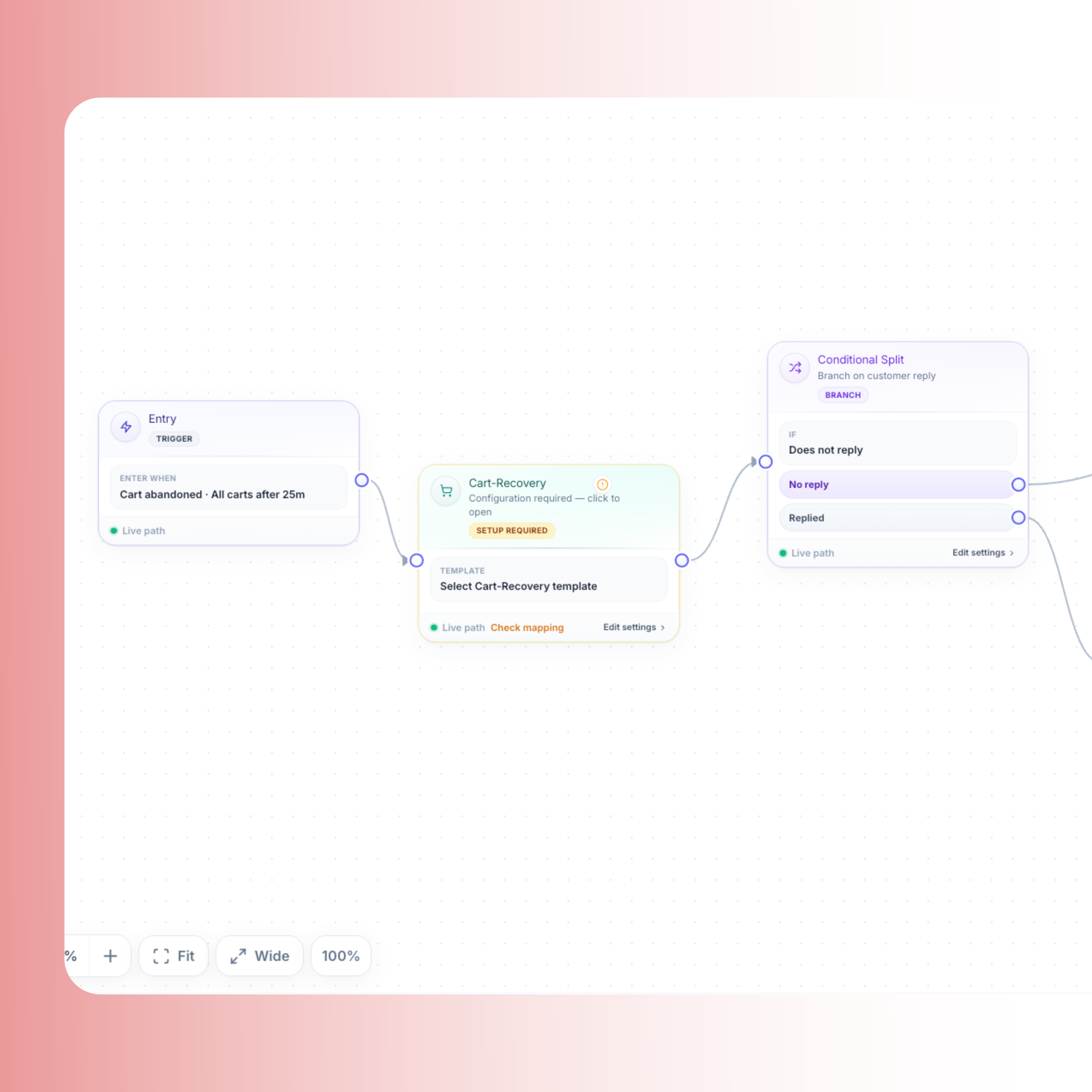
Drag-and-drop builder
Connect Shopify triggers, waits, conditions, and WhatsApp sends on a canvas. Ship sequences without engineering tickets.
Abandoned cart, COD confirm, and shipping on a visual canvas.
Meta-approved templates, recovered ₹, not vanity sends.
Trusted by




A real builder with Meta gates and Shopify triggers—cart, COD, and shipping without custom code.
Connect Shopify triggers, waits, conditions, and WhatsApp sends on a canvas. Ship sequences without engineering tickets.
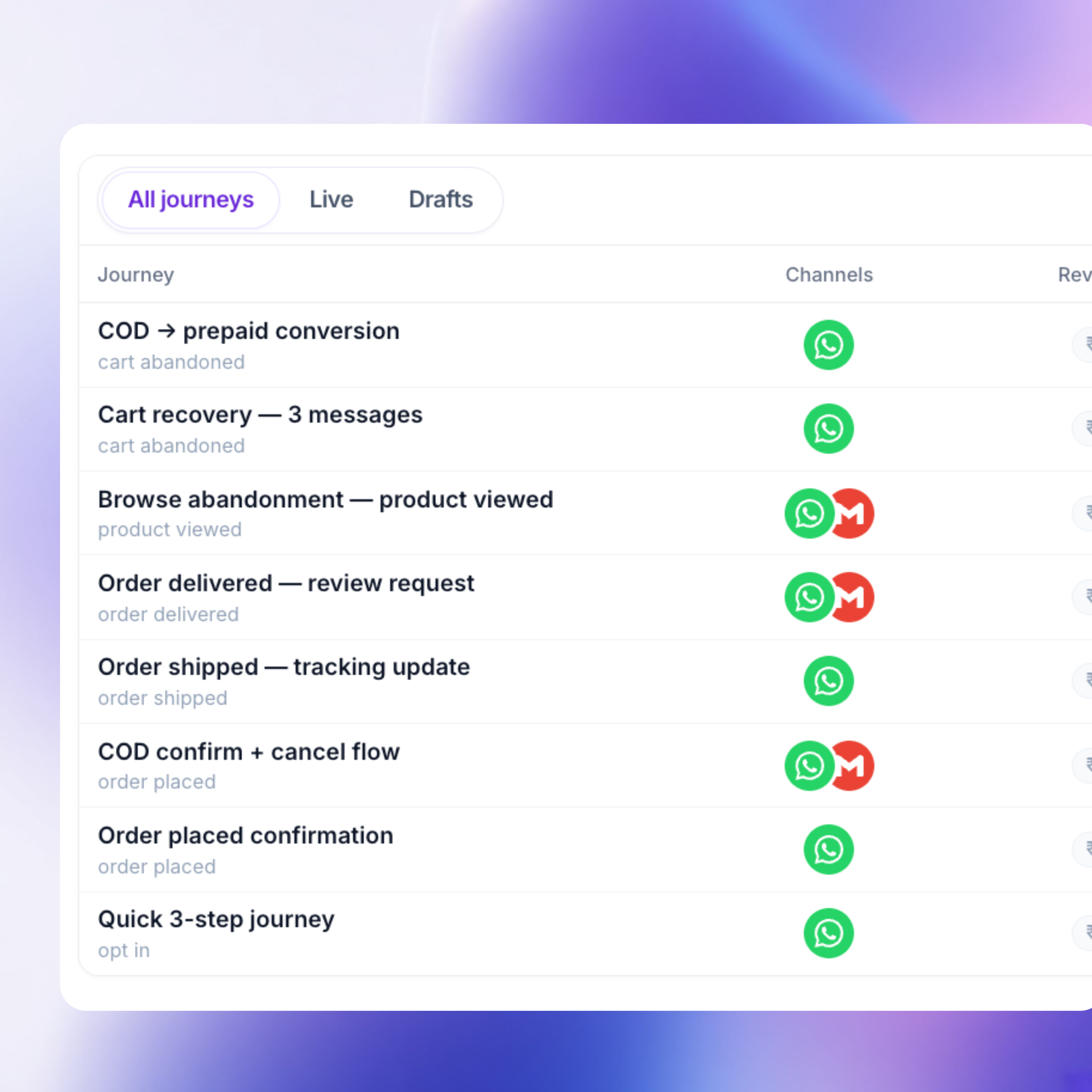
Cart recovery (3-step), order confirm, COD confirm, and shipping updates arrive seeded, minutes to live for India D2C, not a blank canvas.
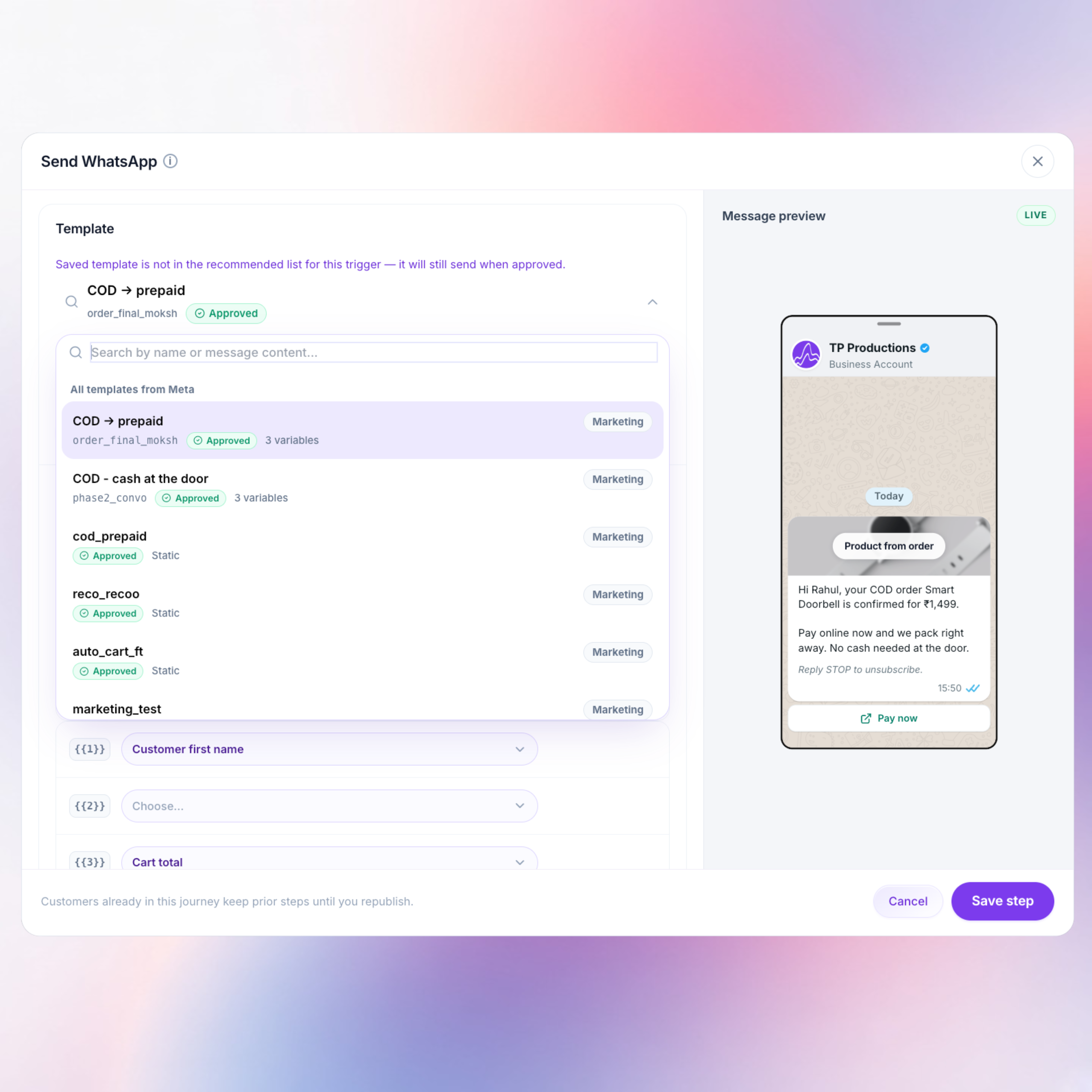
A journey cannot go live sending a non-approved WhatsApp template. Status stays visible in the builder, Approved or still in review.
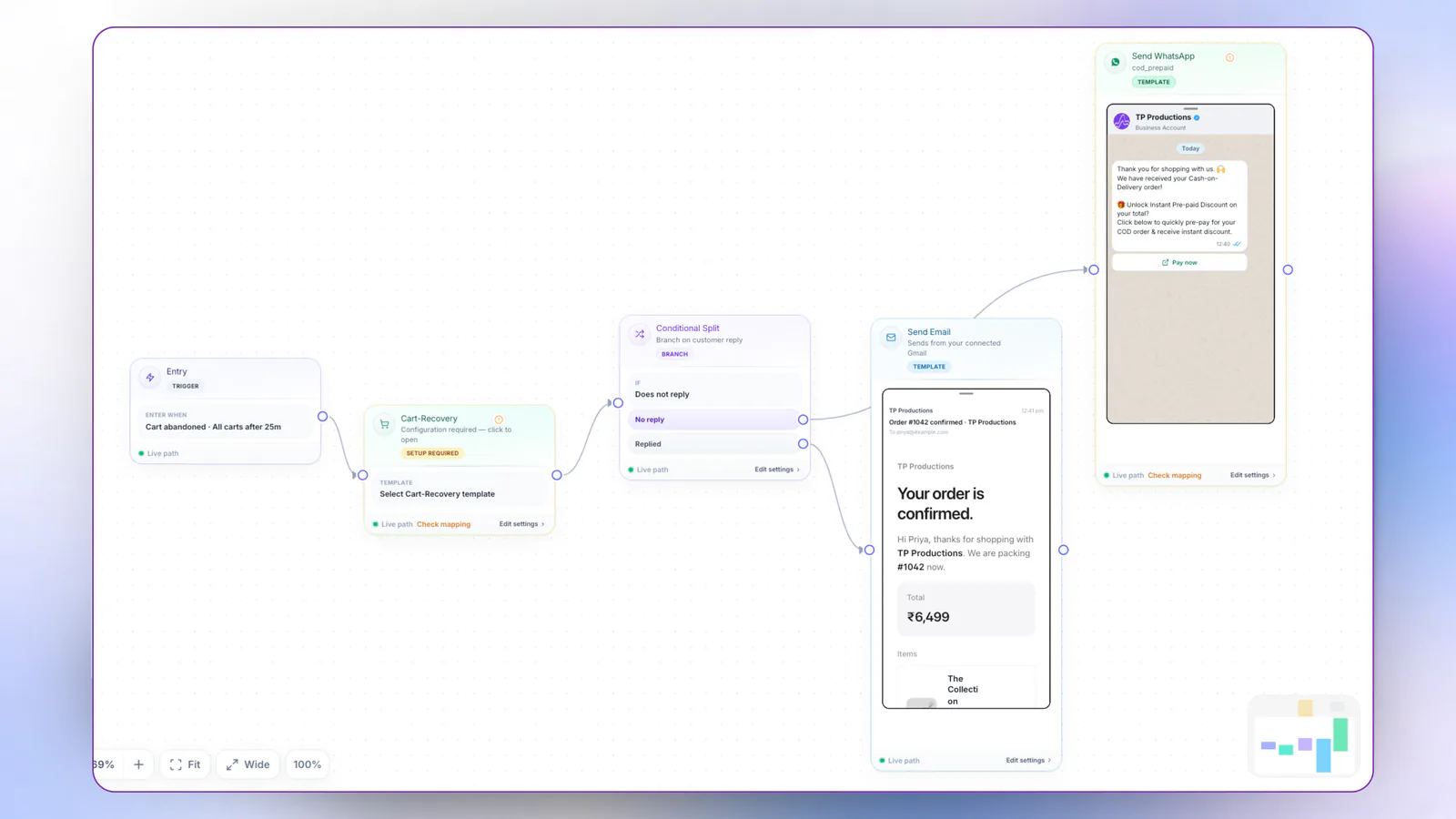
A pre-built 3-step WhatsApp recovery sequence with Meta-approved templates. Capture carts in real time, chase high-AOV leads first, and read recovered ₹, pairs with Tracking Pixel when you want browse intent too.
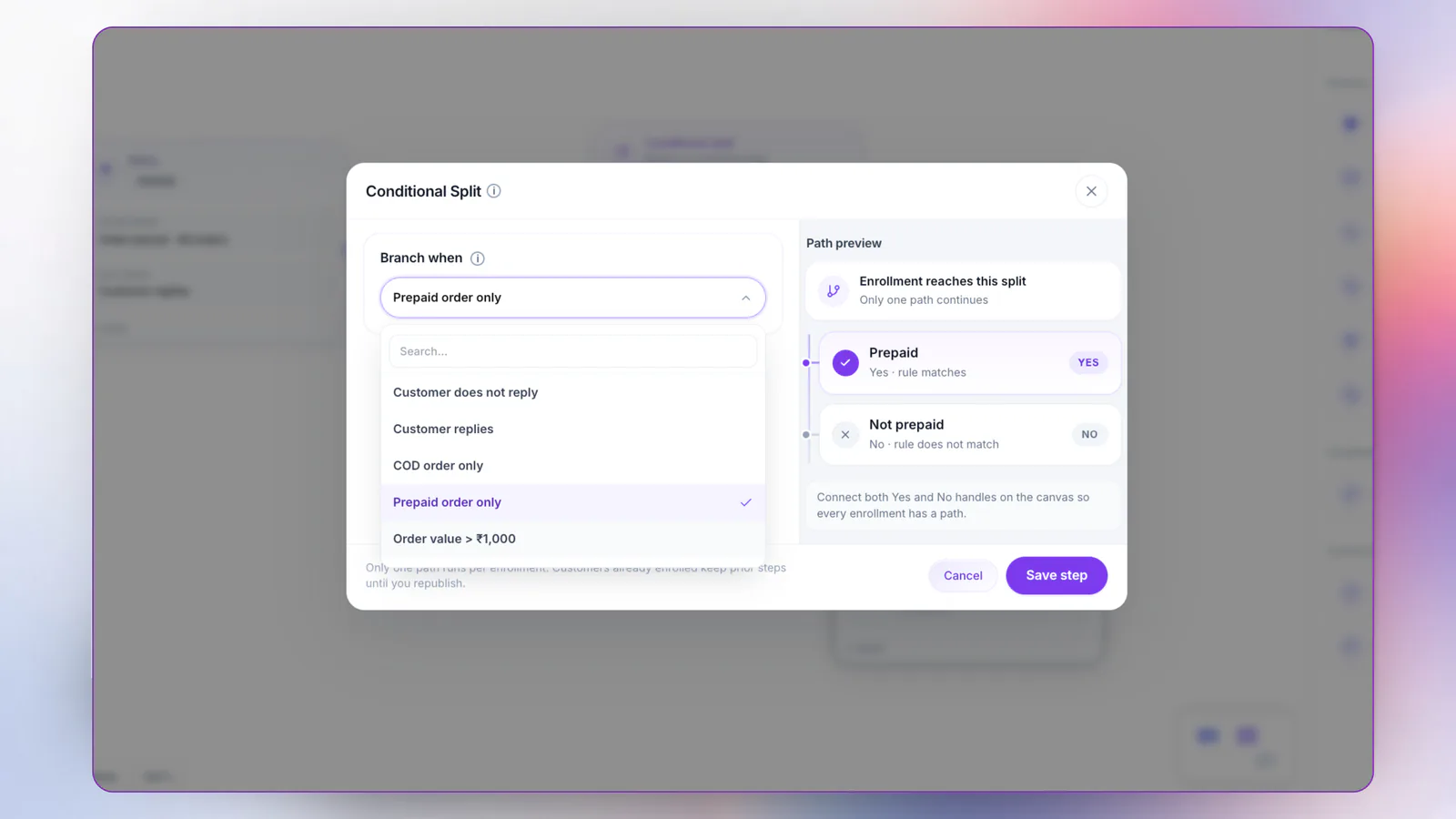
One trigger, multiple paths. Branch when payment method, order state, or shopper response differs, so COD, prepaid, and quiet leads each get a different next step.
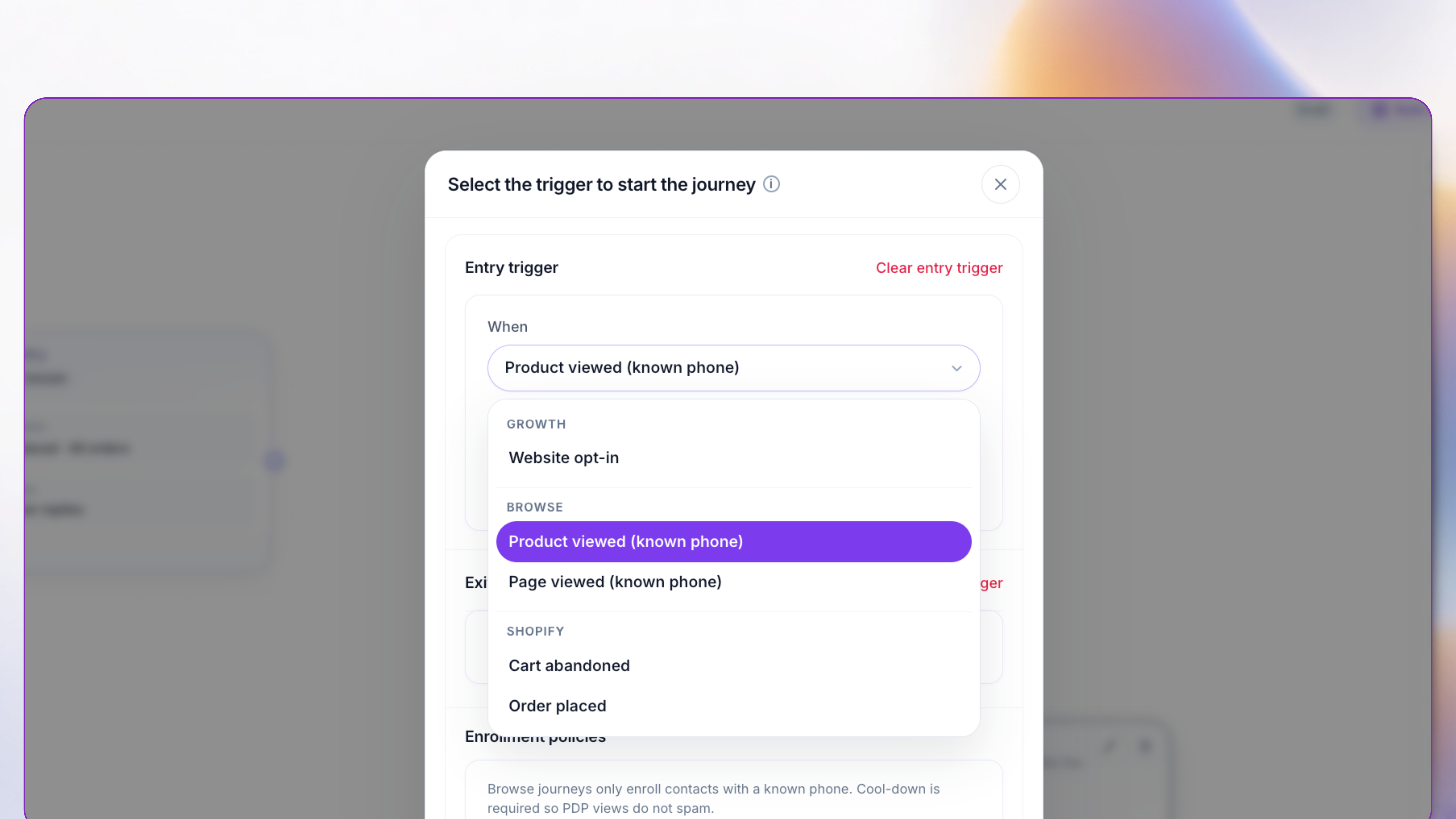
Already have their WhatsApp number? When they come back, browse or scroll, then leave, pixel intent can fire a journey while interest is still warm. Cross-link, don’t duplicate: see Tracking Pixel for install and health.
Checkout abandoned, order created, fulfillment, or COD pending—triggered off store webhooks, not a delayed batch.
Pick a pre-seeded cart or COD journey, or add waits and conditional routes so each shopper gets the right path.
Attach only APPROVED templates; drafts stay blocked so quality rating stays protected.
Watch sent → clicked → paid per journey, then tighten the steps that leak recovery revenue.
A journey is an event-driven WhatsApp sequence tied to Shopify data—abandoned checkout, order created, COD pending, or fulfillment—so each shopper gets the next message based on real store state, not a static broadcast list.
Checkout-abandoned events start a Meta-gated sequence (typically 2–3 steps) with live line items and a checkout link. You can prioritize high-AOV carts and measure recovered ₹ per journey, not only sends.
Yes. Condition on payment method = COD, send a confirm / reschedule / cancel utility template, and only release pick/pack after a clear confirm—or follow your hold/cancel SOP on silence.
No. TopEdge gates live sends on APPROVED templates so drafts and rejected copy cannot go out and damage quality rating.
Cart recovery, COD confirm, Meta gates, recovered ₹ you can show finance.