

Template library
Draft, pending, approved, rejected in one list. Read Meta’s rejection reason on the row, fix copy, resubmit.
Templates, Blueprints, catalog, and QR in one place.
Only APPROVED copy ever reaches Journeys and campaigns.
Trusted by




Draft → Submit → Approved, then wire into Journeys, Flow Builder, or Campaigns.
Draft, pending, approved, rejected in one list. Read Meta’s rejection reason on the row, fix copy, resubmit.
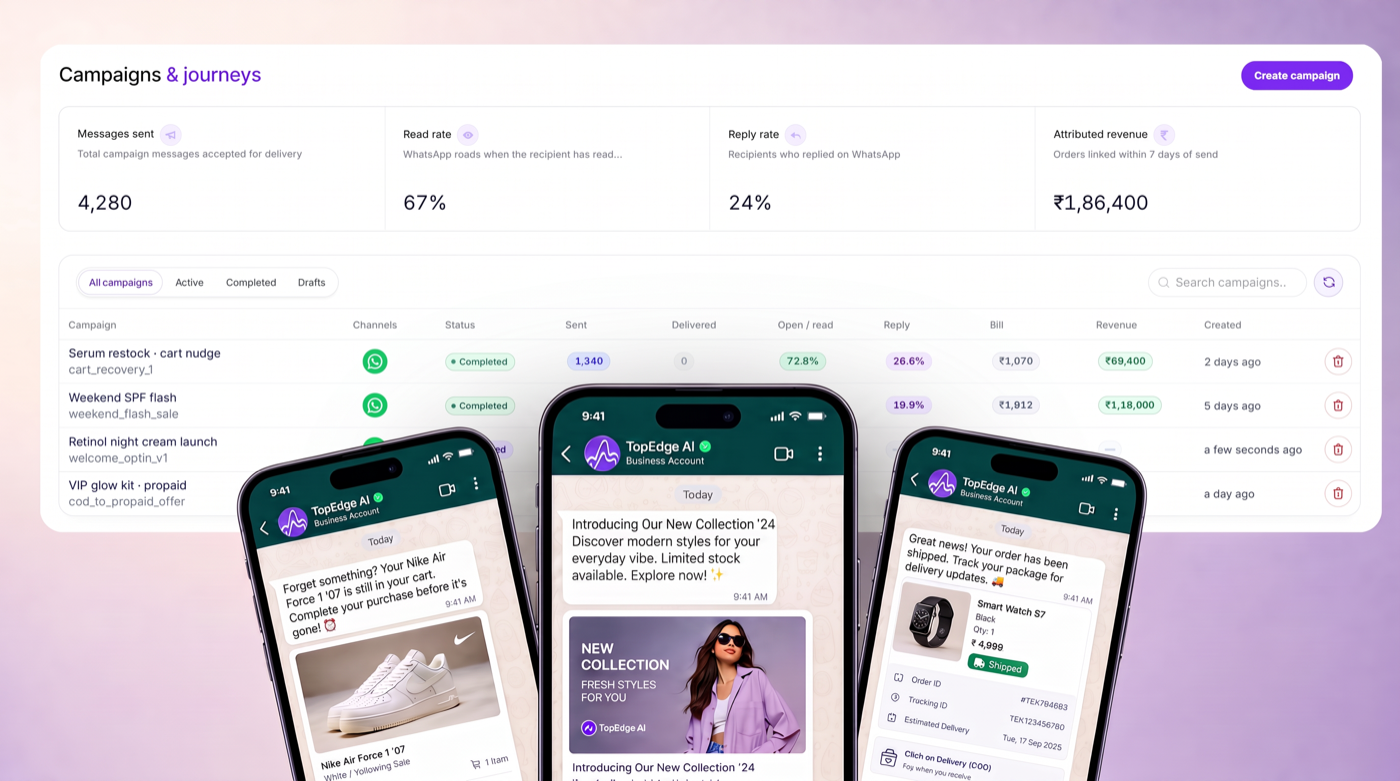
Cart recovery (3 WA + email), COD → prepaid, and order confirmed, create rows with live product headers prefilled for India D2C.
Import from Meta or Shopify, refresh after catalog changes, and download wa.me QR for storefront or ads.
See draft, pending, approved, and rejected at a glance. Sync from Meta when templates were created outside TopEdge.
Named variables like {{first_name}} map to Meta slots on submit. Utility stays transactional, marketing owns promos.
Product catalog for WhatsApp commerce cards; QR tab downloads PNG links that open a flow or catalog on scan.
Pick Marketing, Utility, or Authentication, names in lowercase_with_underscores.
Write body + named fields; choose Live product header for cart / COD / order blueprints.
Wait minutes to 24h. Fix rejections from the row reason, then resubmit.
Pick Approved templates in Journeys, Flow Builder, or Campaigns, never silent sends on rejected rows.
Sending unapproved templates risks rejects and quality rating damage. Meta Manager keeps draft/pending/approved status visible and blocks live sends until Meta greens the template.
Utility covers transactional COD, order, and shipping messages. Marketing covers promos and cart recovery offers. Keep categories honest—Meta reviews content against the chosen category.
Pick APPROVED templates in Journeys, Flow Builder, Campaigns, and Live Chat composer when outside the 24h customer care window.
Submit templates, sync status, and only blast what Meta already greenlit.