WhatsApp Opt-In for Shopify India: Do It Right
How to collect WhatsApp opt-in on Shopify in India: checkout, popups, QR and chat, what to record, and how to keep your quality rating healthy.
Quick verdict
Collect opt-in at checkout and on your site, word it clearly, store proof, and keep order updates separate from offers. It costs a few percent of reach and protects your number. This is general guidance, not legal advice.
Opt-in is the foundation of every WhatsApp journey. Without it you lose your quality rating before you lose the customer. Meta’s WhatsApp Business Platform policy expects that people agree to hear from you on WhatsApp, and India’s data protection rules push the same way on clear, specific consent.
Where to collect opt-in on a Shopify store
| Source | Strength | Watch out for |
|---|---|---|
| Checkout checkbox | Reaches every buyer | Leave unticked, name WhatsApp |
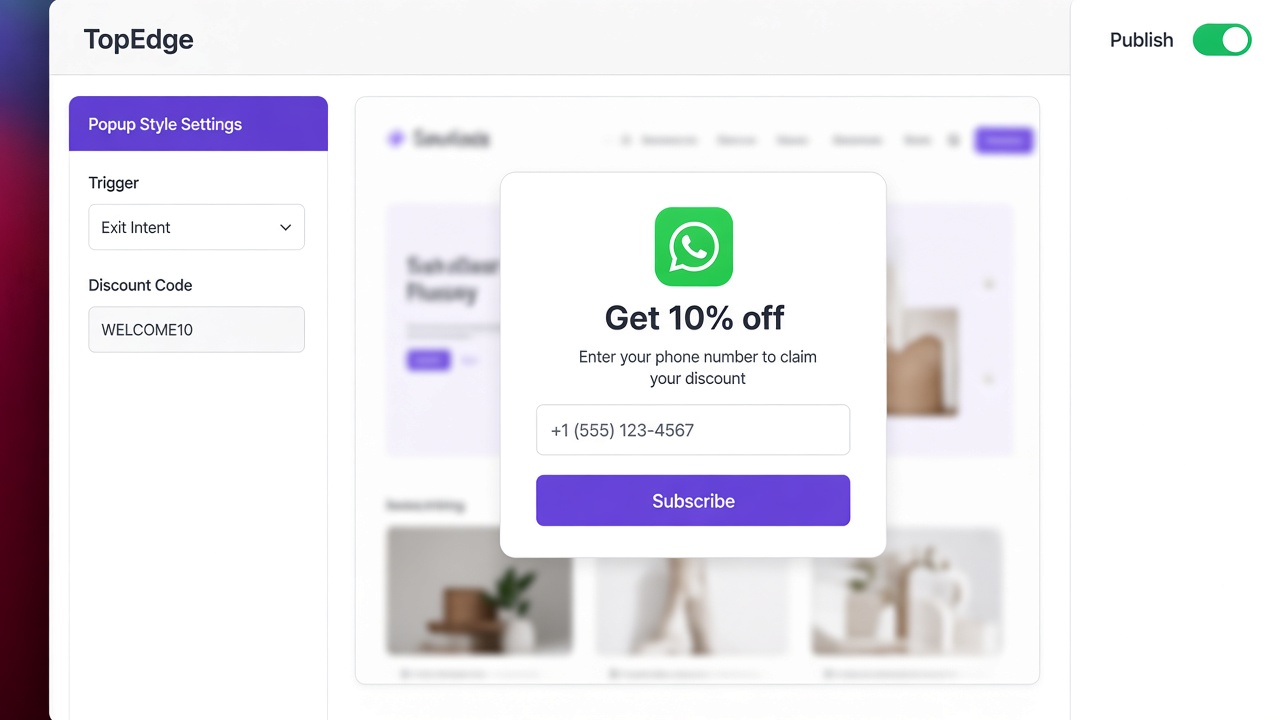
| Website popup | Captures visitors before checkout | Do not hide the consent text |
| Click-to-WhatsApp ad or button | Customer starts the chat | Opens a service window, not marketing consent |
| QR on packaging | Good for repeat buyers | State what messages they will get |
| Instagram comment to DM | High intent | Ask again before offers |
TopEdge’s opt-in tools cover website popups and capture, so consent starts inside the same system that runs your journeys.
What good consent wording looks like
- Names the business and WhatsApp.
- Says what you will send: order updates, offers, or both.
- Offers an easy way to stop.
- Is separate from terms and conditions.
Tradeoff: stricter wording and an unticked box reduce opt-in volume. The people who remain open and answer your messages, which keeps your quality rating high.
What to record
- Phone number and name as given.
- Date and time of consent.
- Where it was given: checkout, popup, QR or chat.
- The exact wording shown.
- Any later opt-out.
Keep quality rating healthy
Blocks and reports lower quality and can limit sending. Send cart and COD messages soon after the trigger, include a clear stop option and avoid sending offers to people who only agreed to order updates. Our guide to WhatsApp abandoned cart recovery covers timing in detail.
Frequently asked questions
Do I need opt-in to send WhatsApp messages to Shopify customers in India?
Yes. WhatsApp Business Platform policy requires that people opt in to receive messages from your business, and that you make clear which business they are hearing from and what they will receive. Keep a record of when and how each person agreed.
Is a pre-ticked checkbox valid opt-in on Shopify checkout?
It is a weak basis and best avoided. Use an unticked checkbox or an explicit action by the customer, and word it so it names WhatsApp and the kind of messages. Treat this as general guidance and check with a lawyer for your own flows.
Does opt-in cover both order updates and marketing offers?
Best practice is to ask separately. A customer who agrees to order updates has not necessarily agreed to promotional offers, and marketing messages carry both a higher Meta fee and a higher complaint risk.
What happens if customers block or report my WhatsApp number?
Blocks and reports lower your quality rating, which can reduce how many messages you may send and in serious cases restrict the number. Sending only to people who asked, with a clear way to stop, is the main protection.
This article is general information, not legal advice. Check Meta’s current WhatsApp Business Platform policy and take advice on India’s data protection rules for your own flows.
Related: COD confirmation on WhatsApp, quickstart.